
I Found A Hidden Feature On Substack To Boost Your Homepage Search Results
Boost your Substack SEO Search Results with this simple trick you can do on your Substack Homepage


I found a simple Substack trick/setting you can use to boost the search results of your main Substack homepage! This will allow you to add more of your MAIN keywords directly on your homepage, so when Google and other search engines crawl your page - you will instantly gain visibility from them.
I’m simply going to run down the exact steps you can follow, to do this hidden Substack SEO trick in your Dashboard…
Click on your Dashboard
Once you’re in your Dashboard, go to Settings
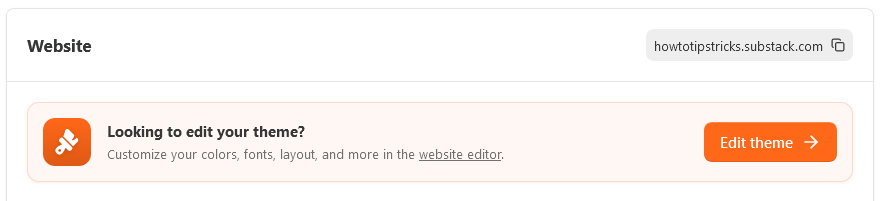
In your Settings, scroll down to where you see the Website section
Click on the Orange Button on the right called Edit Theme (it will pull up the Website Editor)
This will bring you into the Home page section (if not, on the top left click Home page)
On the right hand side, scroll all the way down to the bottom, and you will see LAYOUT > Use custom body layout - click the button to turn it on
Now, in the preview section window of all the blocks you have showing on the left, hover your mouse in-between a block, and a button/message will come up that says Click to add block - click it
After you click it, on the right side of the page, a new menu will show up and it will say Add block, look for Subscribe block Add calls to action for different audiences - click it
Now, just look for where it says Messages for non-subscribers and Messages for free subscribers
That’s it… just write what-ever you want in there (make sure you use/write in both Messages) - then click Save
Now, when you view your Substack homepage, the text will be there.
Just make sure you include some of your main search terms/keywords in there, and it will boost you Substack SEO on Google Search and elsewhere.
If you found this tip useful, you can learn even more in my related Substack SEO article.
Paul Arino
Substack Growth Tips | How To Grow
How-to Get More Readers to Actually Open Your Email & Newsletters: Substack Welcome Email Fix and Setup
Why Substack Shows a Paywall on a Paid Subscription (and How to Fix It Instantly): Substack Paywall Paid Subscription Fix
This is a great trick for anyone trying to fix one of Substack's biggest natural SEO flaws - the lack of static text on the homepage.
When you turn on the custom body layout and add that Subscribe block, you are essentially creating a hidden gateway to feed Google's crawlers with the exact keyword phrases your publication needs to rank for.
Normally, Googlebot just sees a rotating feed of your latest headlines, which makes it incredibly hard to rank a Substack homepage for broad, high-volume search terms.
By customizing the Messages for non-subscribers and Messages for free subscribers, you can naturally weave in your primary publication keywords, your target niche, and long-tail phrases that tell Google exactly what your newsletter is about.
It transforms a standard sign-up box into a powerful piece of on-page search engine optimization!